Quiet focus,
twenty-five minutes at a time.

Lives in your menubar and your pocket. Start a session, get out of your way, and watch one tomato fill itself.

Download on theApp Store
Free to use·macOS 14.6+ / iOS 17.6+·Made by one person
Pomodorome on Mac
Features

Built for one job.

Everything you need to run a Pomodoro day. Nothing you do not.

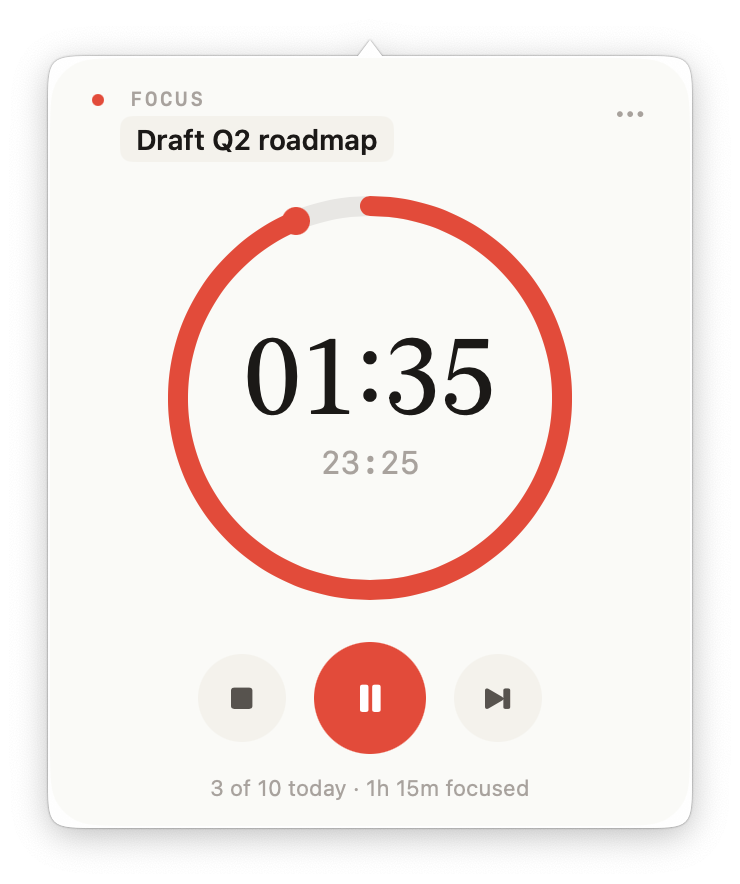
Lives in your menubar
A tomato counts down without claiming a Dock slot. Click for the popover; ignore for the focus.
25 / 5 / 25 / long
Sessions and breaks alternate the way the Pomodoro Technique intends. Configurable down to the second.
Per-session tasks
Name what you are working on so the daily log shows where the hours actually went.
Honest statistics
Heatmap, weekly bars, top tasks. No streak guilt, no leaderboards — just what you did.
Yours alone
Sessions live on your devices. No accounts, no analytics, no servers humming somewhere.
iCloud sync
Start on your Mac, finish on your phone. Encrypted end-to-end through your iCloud.
iPhone

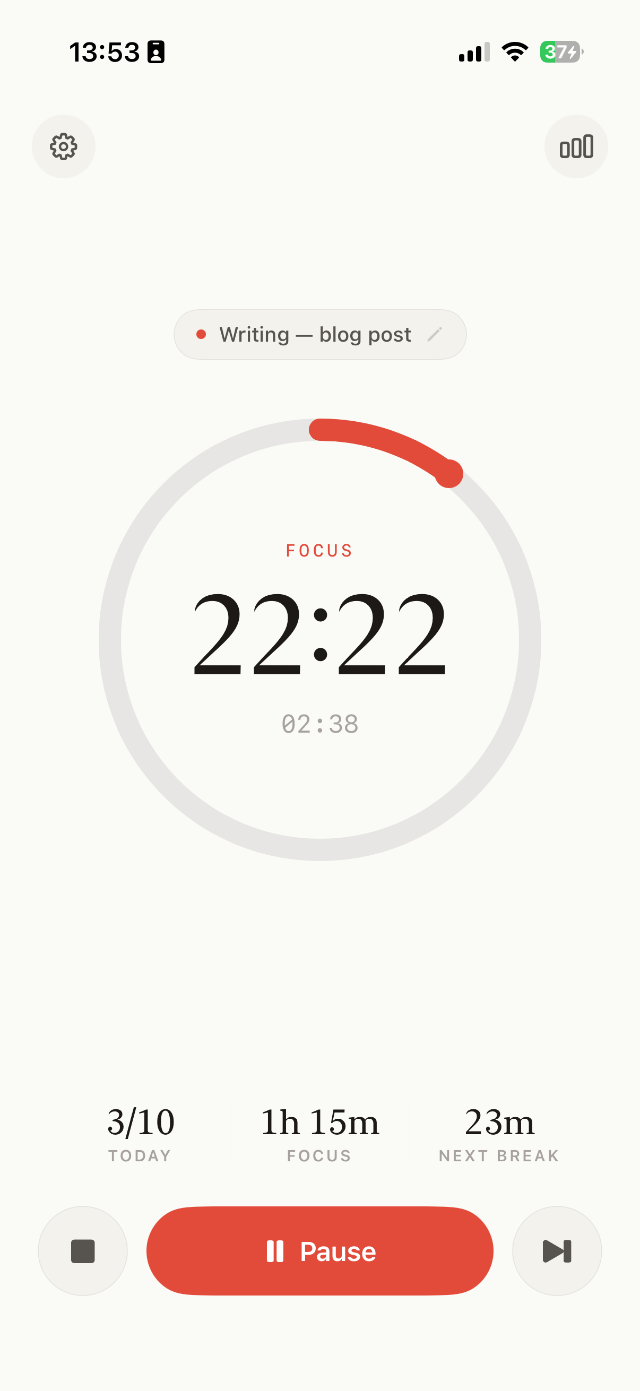
Calm in your
pocket.

A serif timer that does not shout. Tasks, history, and stats all one tap away.

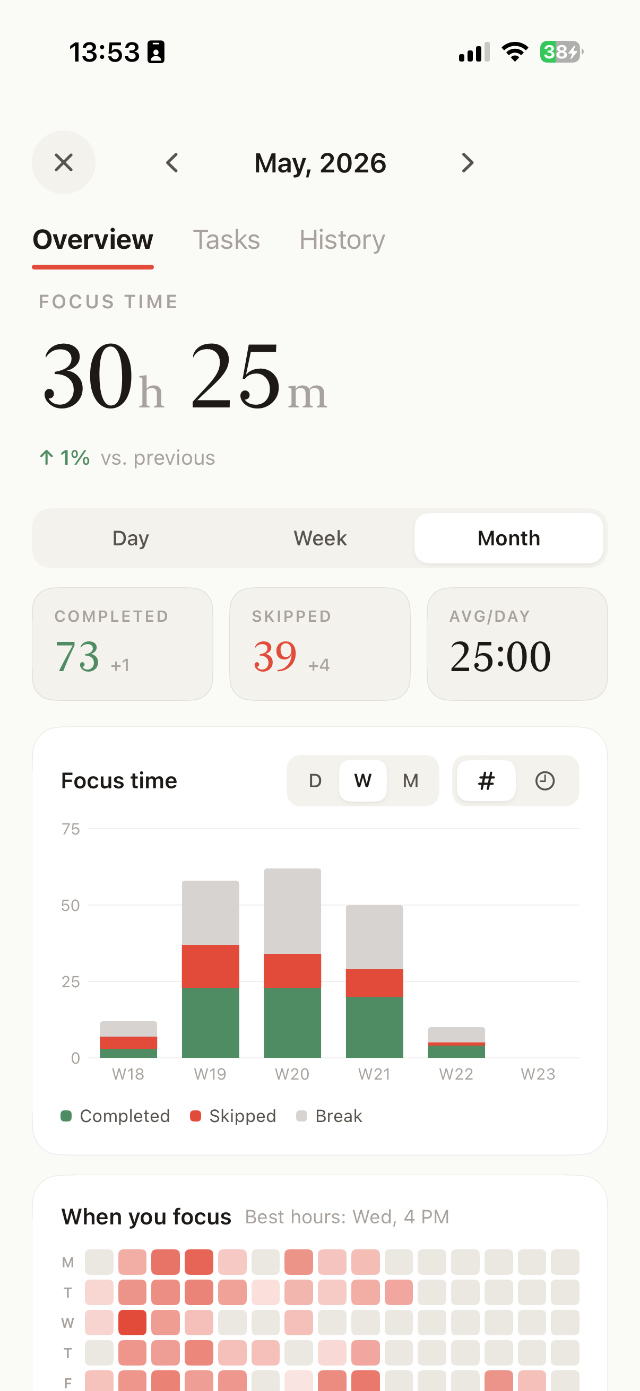
Overview · monthly focus
Stacked weekly bars. Completed / skipped / break. Plus a when-you-focus heatmap.
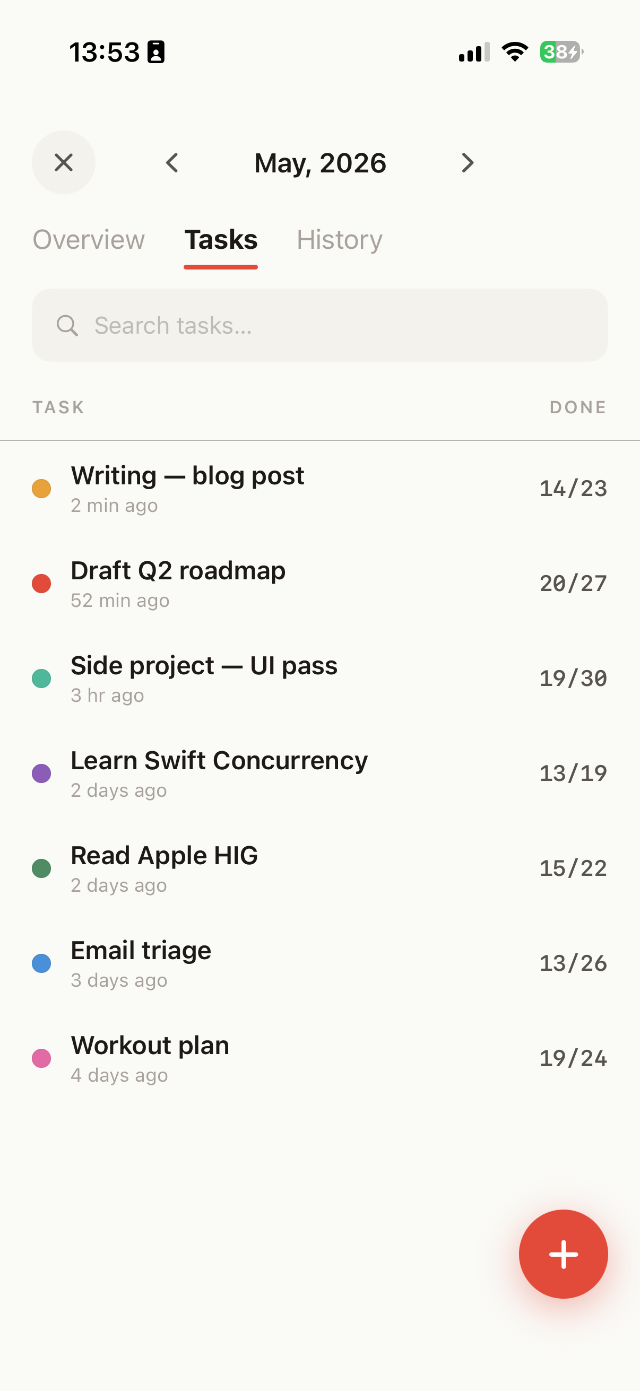
Tasks · color-coded list
Each project gets a dot. Search top, FAB bottom-right, swipe a row to delete.
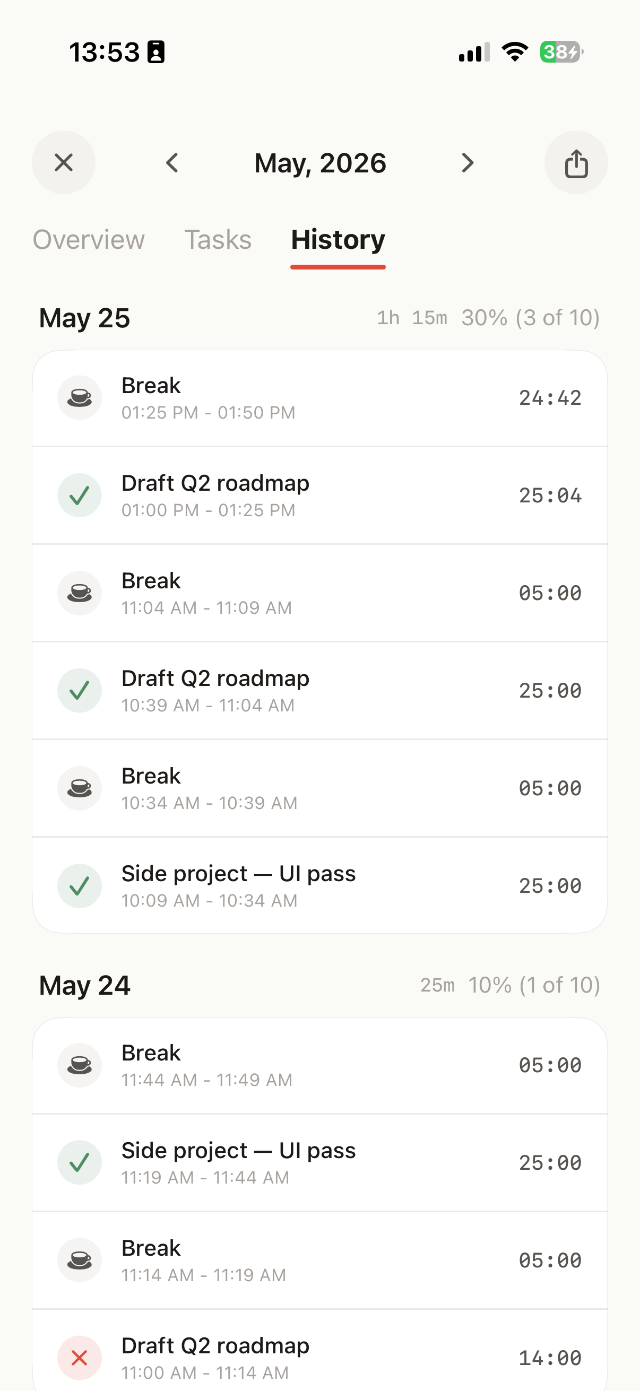
History · receipts of focus
Every session, grouped by day. Coffee glyph for breaks, check for done, X for skipped.
Mac

One tomato in your
menubar.

Click the menubar item for the popover. A full statistics window when you want to dig in.

01:35Mon May 26 · 10:21 AM
Mac menubar popover
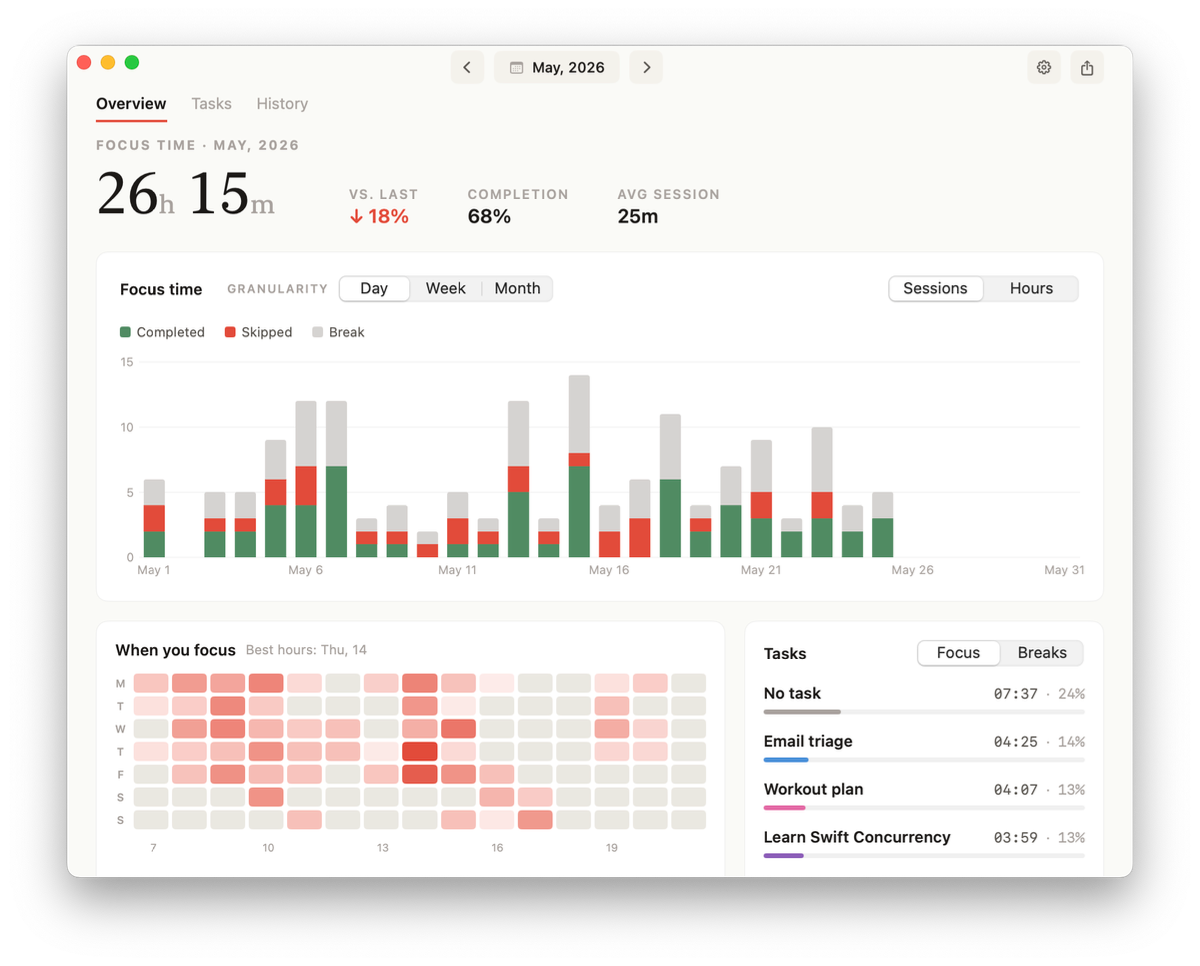
Statistics window

See where the hours actually went.

Overview, Tasks, History. Each one earns its tab.

OVERVIEW

Daily bars, monthly trend, top tasks.

Stacked bars split focused / skipped / break time. A heatmap shows which hours of which weekdays you actually got things done. Top tasks ranked by hours.

  • Day / Week / Month granularity
  • Sessions vs. hours toggle
  • Per-task time breakdown
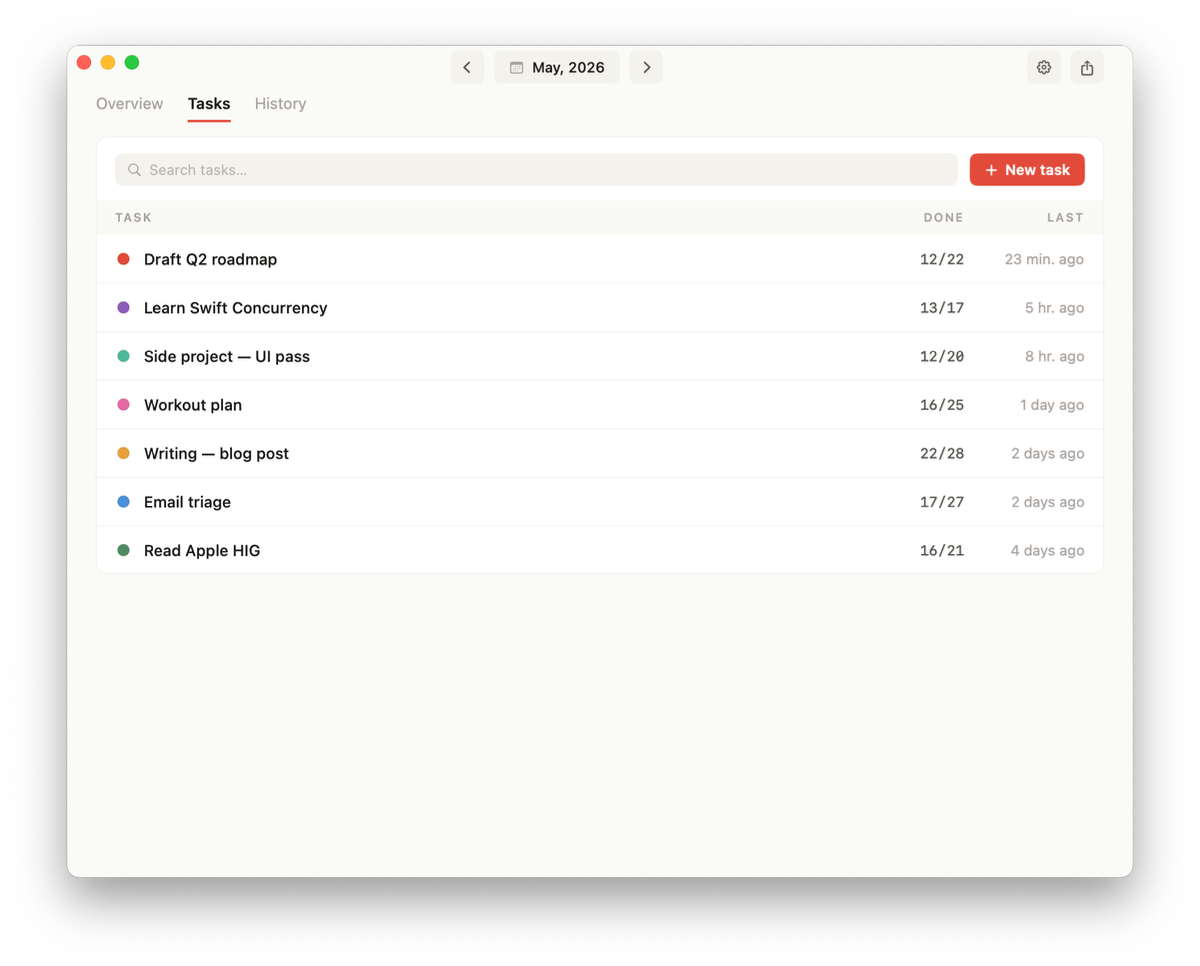
TASKS

Compact rows, focused on what matters.

Project color, name, done-of-estimate count, last worked. Native search; hover to reveal rename, archive, and delete.

  • Project color tags
  • Done / Last-worked columns
  • Hover to rename, archive, delete
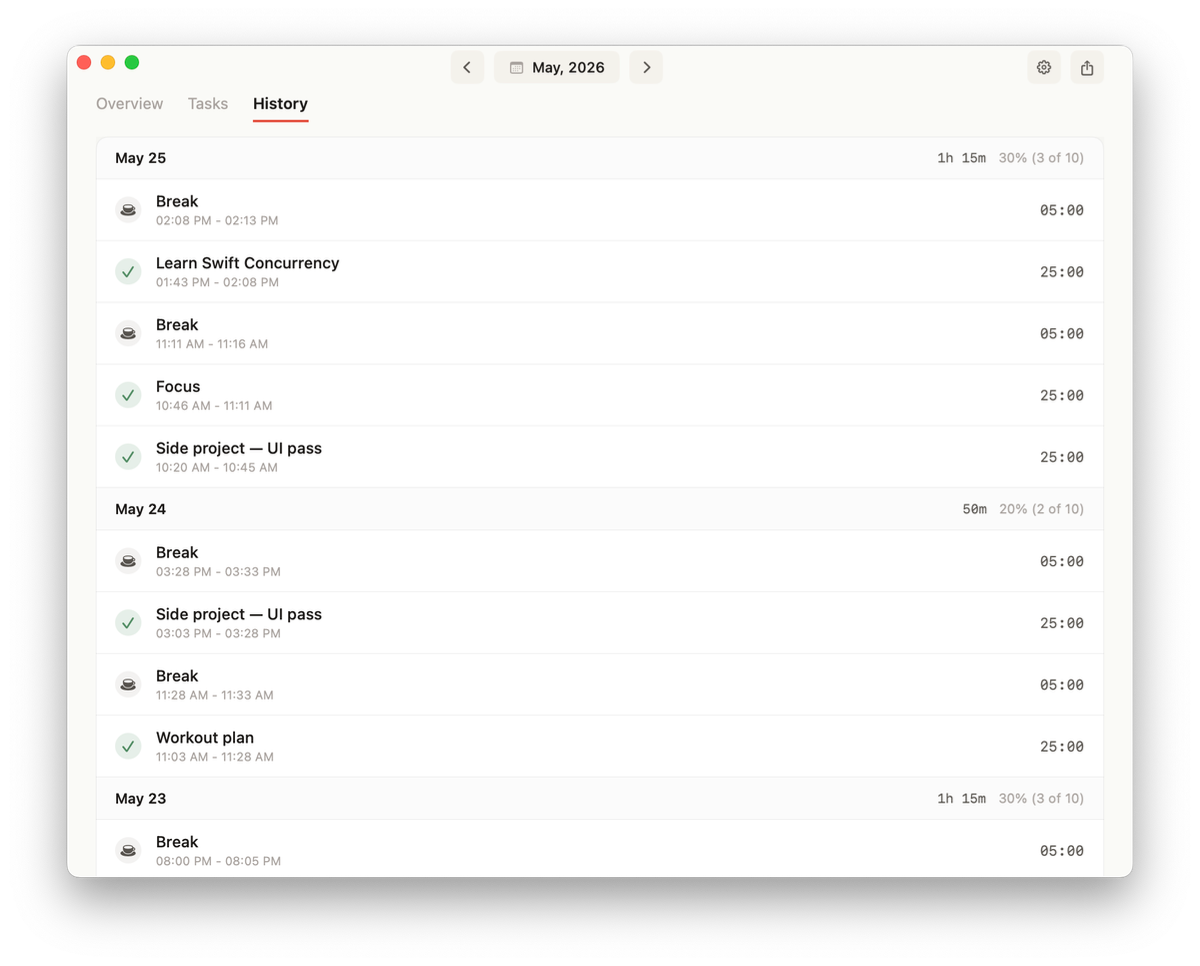
HISTORY

Receipts of every session.

Grouped by day with daily focused time and completion rate. Check icons for done, coffee for break, X for skipped. Export to CSV anytime.

  • Per-day rollup
  • Done / break / skipped marks
  • CSV export
Pricing

Free forever. Pro when you want more.

One-time payment. Family Sharing supported. No subscription, ever.

Free
$0
Everything most people need.
  • Mac & iOS apps
  • Custom session lengths
  • Daily statistics
  • Sounds & notifications
Recommended
Pro
$5once
One-time. No subscription.
Price varies by region.
  • Everything in Free
  • iCloud sync across devices
  • Advanced statistics & export
  • Per-task projects
  • Priority support

One tomato at a time.

Free on the App Store for Mac and iPhone. Pro unlocks sync and export.
Download on theApp Store