On iPhone and iPad
The timer
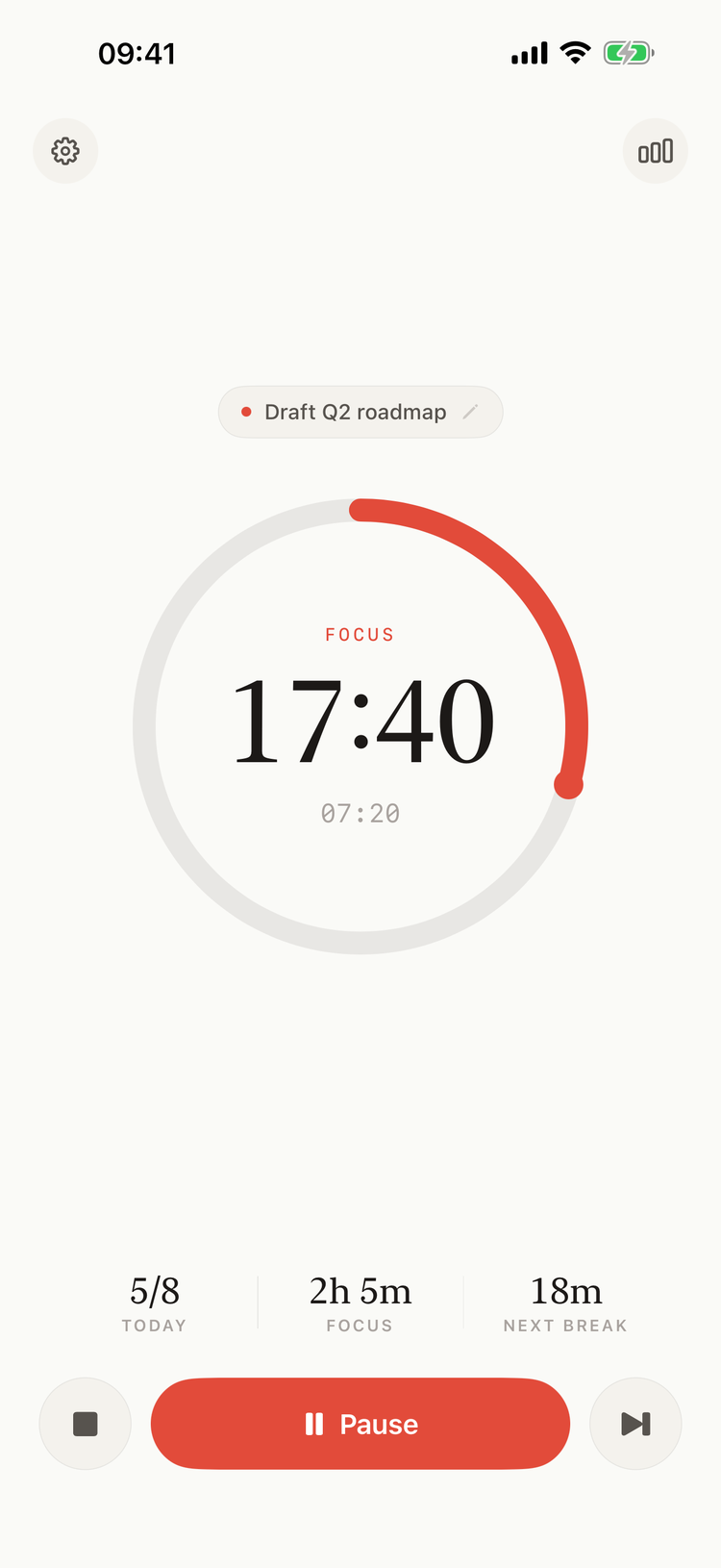
The timer during a focus session
- The gear at the top left opens Settings; the chart at the top right opens Statistics.
- The task, above the ring: tap it to pick a task. See Tasks.
- The ring: what the timer is doing (READY, FOCUS, PAUSED, BREAK), the time left, and under it the time already spent.
- TODAY: today's completed focus sessions out of your daily goal.
- FOCUS: today's focus time, completed sessions only.
- NEXT BREAK: the minutes to the next break; "now" during a break.
- The buttons: see The Timer.
When a focus session ends, the timer shows the Focus complete card. See The Timer.
Notifications
The first time you open Pomodorome, it asks to send notifications. Allow them to know when a session ends while the app is closed or the iPhone is locked. See Notifications and Sounds.
To allow them later, open the iPhone's Settings → Notifications → Pomodoro Me.
The Home Screen widget
Start, pause and stop the timer from the Home Screen. See Home Screen Widget.
iPad
The iPad has the same app, with a larger ring, and turns with the iPad. On iPhone it stays upright.
What's New
After an update with new features, Pomodorome opens with What's New. Continue closes it. A note on the translations follows, with Report a translation issue if something reads wrong in your language.
Language
Pomodorome follows the iPhone's language. To pick another one for Pomodorome only, open the iPhone's Settings → Apps → Pomodoro Me → Language (on iOS 17, Settings → Pomodoro Me → Language).