Tasks
A task names what you work on in a session, like "Draft Q2 roadmap" or "Email triage". Each task has a color. Statistics then shows your time per task, and History shows the task of each session.
Pomodorome Pro
Tasks come with Pomodorome Pro. Without it, the task picker shows a preview with Unlock Pro.
Pick a task
- iPhone and iPad: tap the task above the ring. With none picked it says Select a task.
- Mac: click the task in the panel or the floating window. With none picked it says Pick a task.
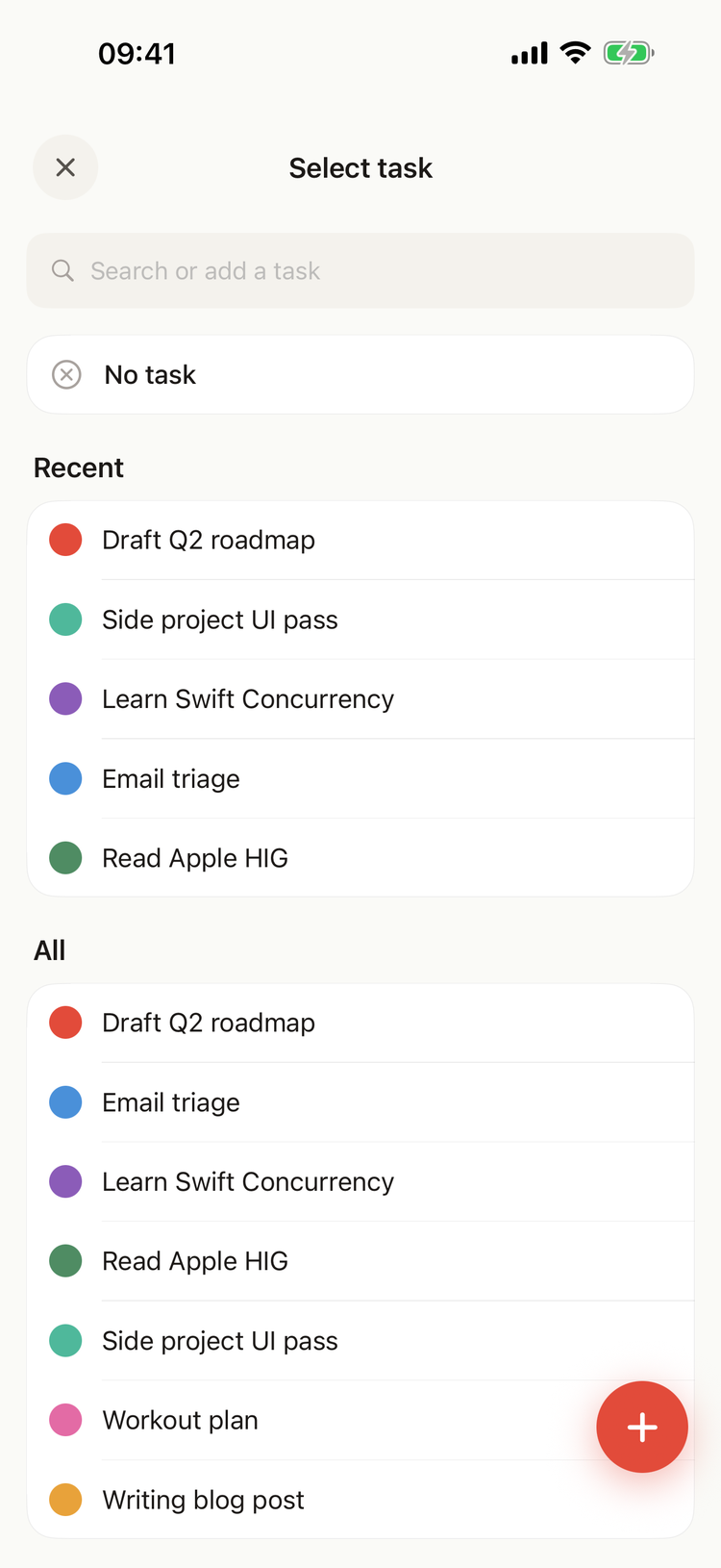
The task picker on iPhone
The picker lists your tasks from A to Z. On iPhone, Recent shows the five you used last above them. No task clears the task.
Type in Search or add a task to find a task. To add one, type its name and pick Create "name", or press Return (Mac) or Done (iPhone). On iPhone, the + button opens New task, where you also pick its color. A task you add gets a color of its own, which you can change later.
What the task applies to
- During a focus session, or before one: the task tags this session and the next ones, until you pick another.
- During a break: the task tags only this break. The next focus session keeps the task it had.
The app remembers the task until it is closed. A focus session started from the Home Screen widget or from a notification has no task: pick one in the app.
Manage tasks
Open Statistics → Tasks. It lists every task with the focus sessions done out of all those started, and when you last worked on it.
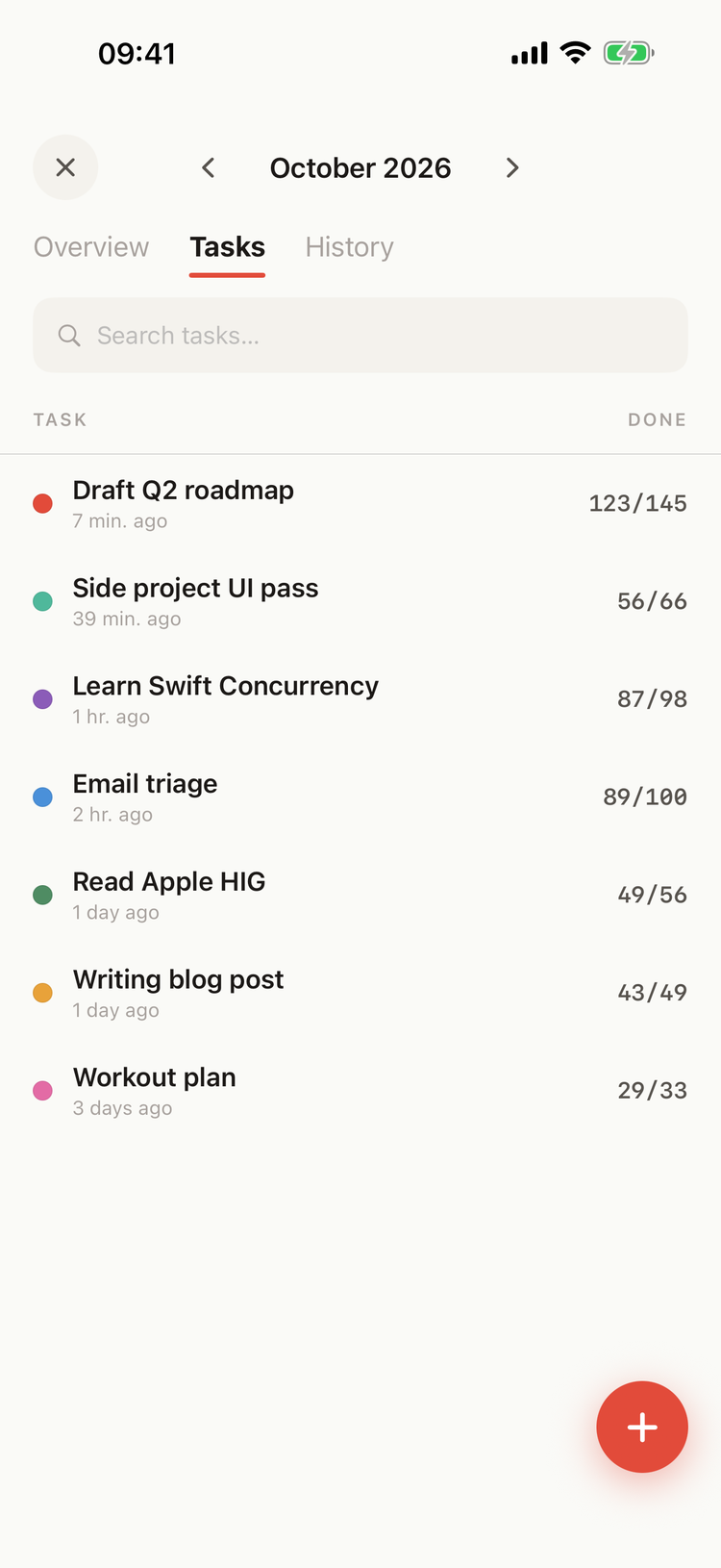
The Tasks tab on iPhone
iPhone and iPad
- + adds a task: a name, and a color from the eight swatches or Custom color.
- Tap a task to open Edit task: change its name or color, or Delete task.
- Swipe a task to the left for Edit and Delete.
Mac
- New task adds a row: type the name and click Add.
- Hover a task for the pencil (Rename…) and the trash can (Delete), or right-click it.
- Click its color dot to pick another color, or Any color… for any color at all.
A new name or color shows everywhere, past sessions included.
Delete a task
Deleting asks first: the task "will disappear from the picker. Past sessions keep their tag." Statistics and History still show it on the sessions it had.
Change the task of a past session
In Statistics → History, long-press a session (iPhone) or right-click it (Mac):
- Clear task leaves the session with no task.
- On the Mac, Edit… lets you pick another task for it.