Settings
- Mac: the ••• button in the panel → Settings. The window has four tabs: General, Intervals, Notifications and Shortcuts.
- iPhone and iPad: the gear at the top left of the timer.
At the top, both show whether you have Pomodorome Pro, with Unlock Pro if you don't.
The timer
On the Mac in Intervals; on iPhone in Timer. The lengths are in minutes.
| Setting | Default | Range | What it does |
|---|---|---|---|
| Pomodoro Length | 25 | 1–180 | The length of a focus session |
| Short Break Length | 5 | 1–60 | The break after a focus session |
| Long Break Length | 15 | 1–60 | The break at the end of a cycle |
| Cycle length | 4 | 1–20 | Completed focus sessions in a row before a long break |
| Pomodoros a day | 10 | 1–50 | Your daily goal of completed focus sessions |
A new length applies at once, to the session in progress too. See The Timer.
Pause
Pause (off): lets you pause a focus session and resume it. Without it, a focus session has only Stop and Skip. On the Mac in General; on iPhone in Behavior.
Mac: General
| Setting | Default | What it does |
|---|---|---|
| Launch on start | Off | Opens Pomodorome when you log in |
| Timer in status bar | On | Shows the time left in the menu bar; off, an icon |
| Pause | Off | See Pause |
| Modal window | Off | Shows the floating window, above other windows |
| Compact layout | On | The floating window's smaller layout; off, the same layout as the panel. Shown while Modal window is on |
| Visible on all spaces | Off | Shows the floating window on every desktop |
| Application Language | The Mac's | The app's language; the app restarts in it right away |
| iCloud | Off | iCloud Sync. Needs Pomodorome Pro |
Mac: Notifications
| Setting | Default | What it does |
|---|---|---|
| Notification | Small | The notice when a session ends: None, Small or Large |
| Pomodoro Completed | Default | The sound when a focus session ends |
| Break Completed | Default | The sound when a break ends |
| Daily Goal Completed | Default | The sound when you reach your daily goal |
| Ticking: Focus, Break | No sound | A ticking sound while a focus session or a break runs: Tick or Watch |
| Focus Volume, Break Volume | Half | How loud the ticking is |
Mac: Shortcuts
Global keyboard shortcuts for the timer. See Keyboard Shortcuts.
iPhone and iPad
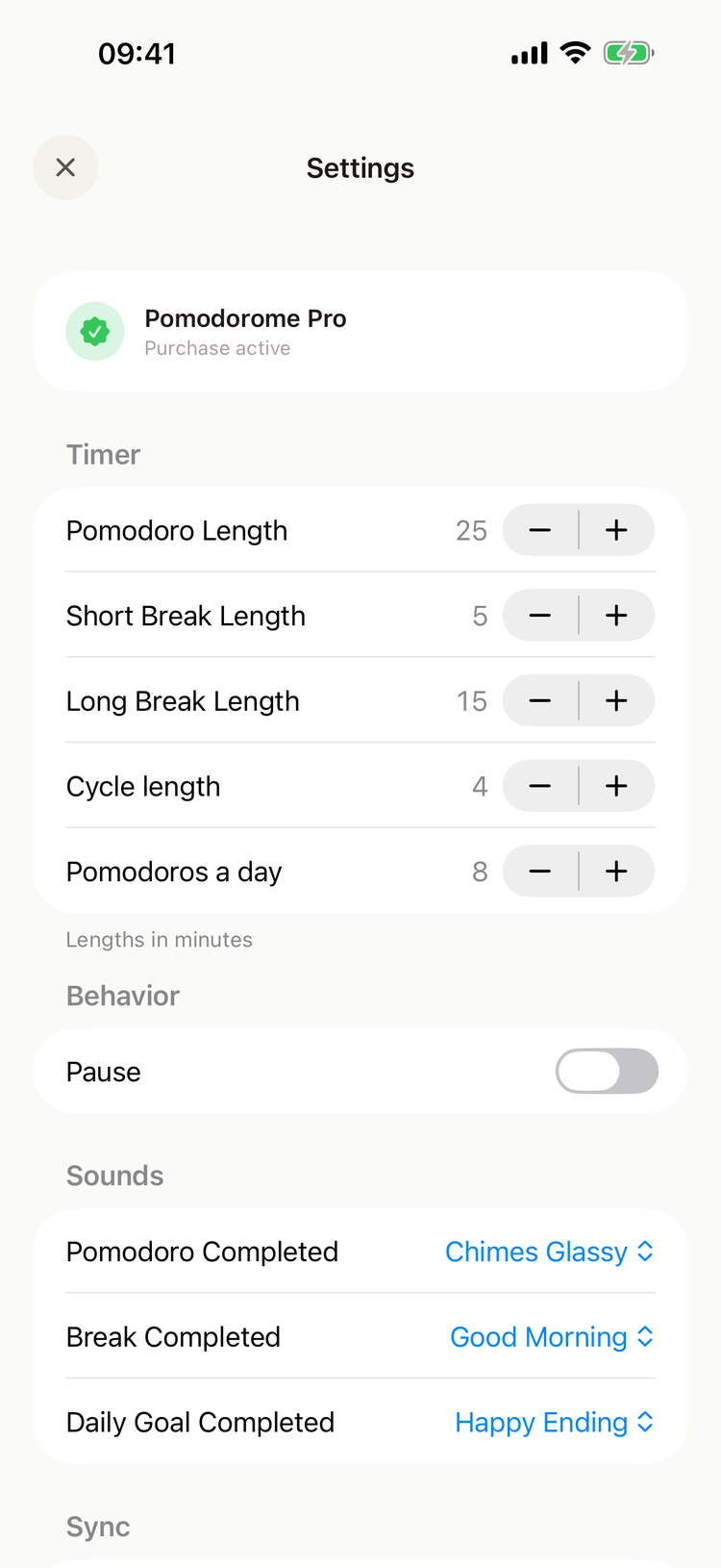
Settings on iPhone
- Timer and Behavior: see The timer and Pause.
- Sounds: Pomodoro Completed, Break Completed, Daily Goal Completed. See Notifications and Sounds.
- Sync: iCloud. See iCloud Sync.
- About:
- Contact developer writes an email to the developer with the app's log files attached.
- Send diagnostics shares the app's database file, for the developer to look into a problem.
- Rate the app opens the App Store.
- Mac application opens pomodoro.me, about the Mac app.
- Version is the app's version.
Synced settings
With iCloud Sync on, the lengths, Cycle length, Pomodoros a day and Pause are the same on all your devices. The other settings stay on each device.