Statistics
Open Statistics
- iPhone and iPad: the chart button at the top right of the timer. The X at the top left closes it.
- Mac: the ••• button in the panel → Statistics…
Statistics has three tabs: Overview, Tasks and History.
Choose the period
iPhone and iPad. On Overview, pick Day, Week or Month; tap the one already picked to come back to today, this week or this month. The arrows on both sides of the title go to the period before or after. Statistics opens on this month.
Mac. The arrows go to the period before or after. Click the title between them to pick a period: Today, Yesterday, This week, This month, Last week, Last month, or your own: pick its first day in the left calendar and its last day in the right one. The window opens on this week.
Weeks run from Sunday to Saturday. A session still running isn't in Statistics until it ends.
Overview
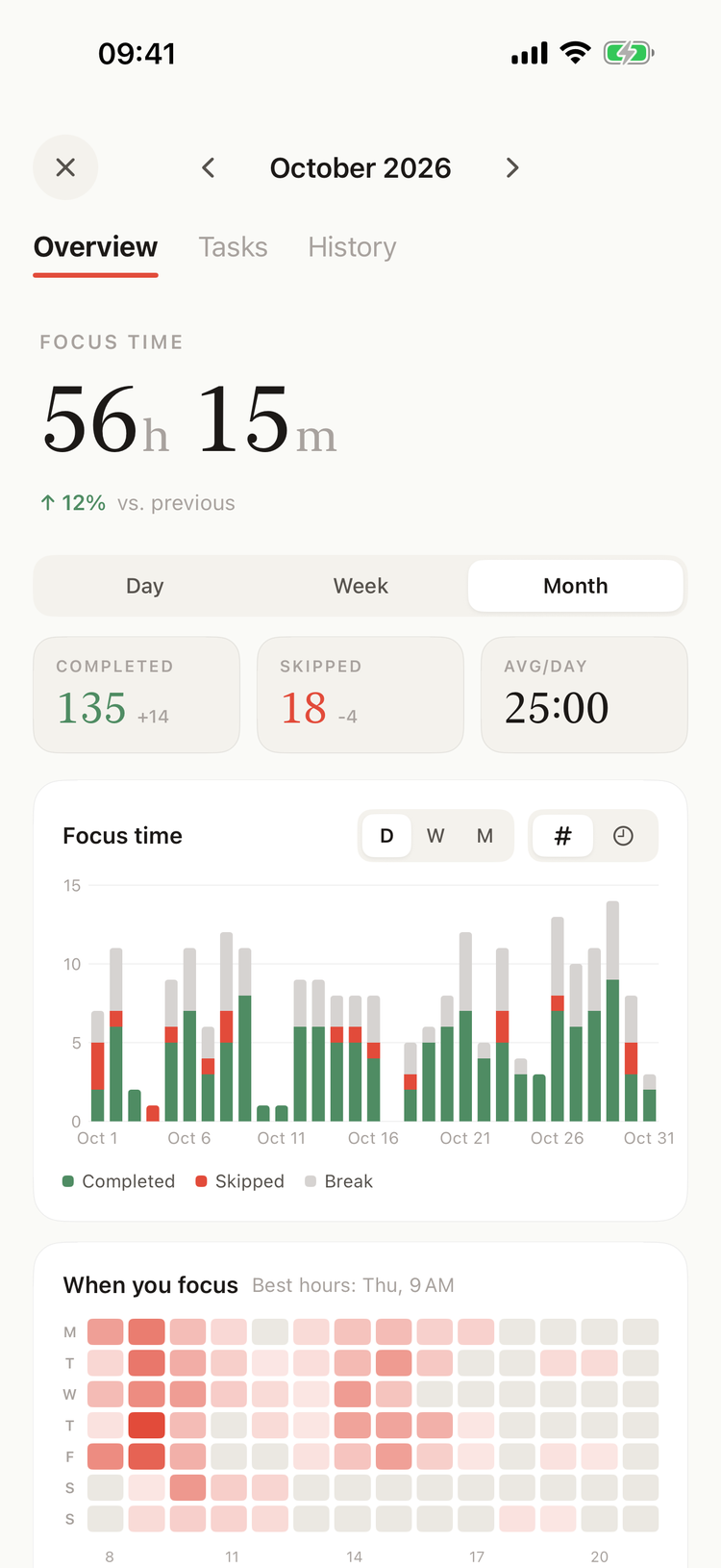
Overview on iPhone
At the top is FOCUS TIME: the time of your completed focus sessions in the period. Next to it, how it changed from the period before, in green when it went up and in red when it went down.
- iPhone and iPad: COMPLETED and SKIPPED focus sessions, with the change from the period before, and AVG/DAY, the average length of a completed focus session.
- Mac: VS. LAST, the change from the period before; COMPLETION, the share of focus sessions completed; AVG SESSION, the average length of a completed focus session.
Focus time
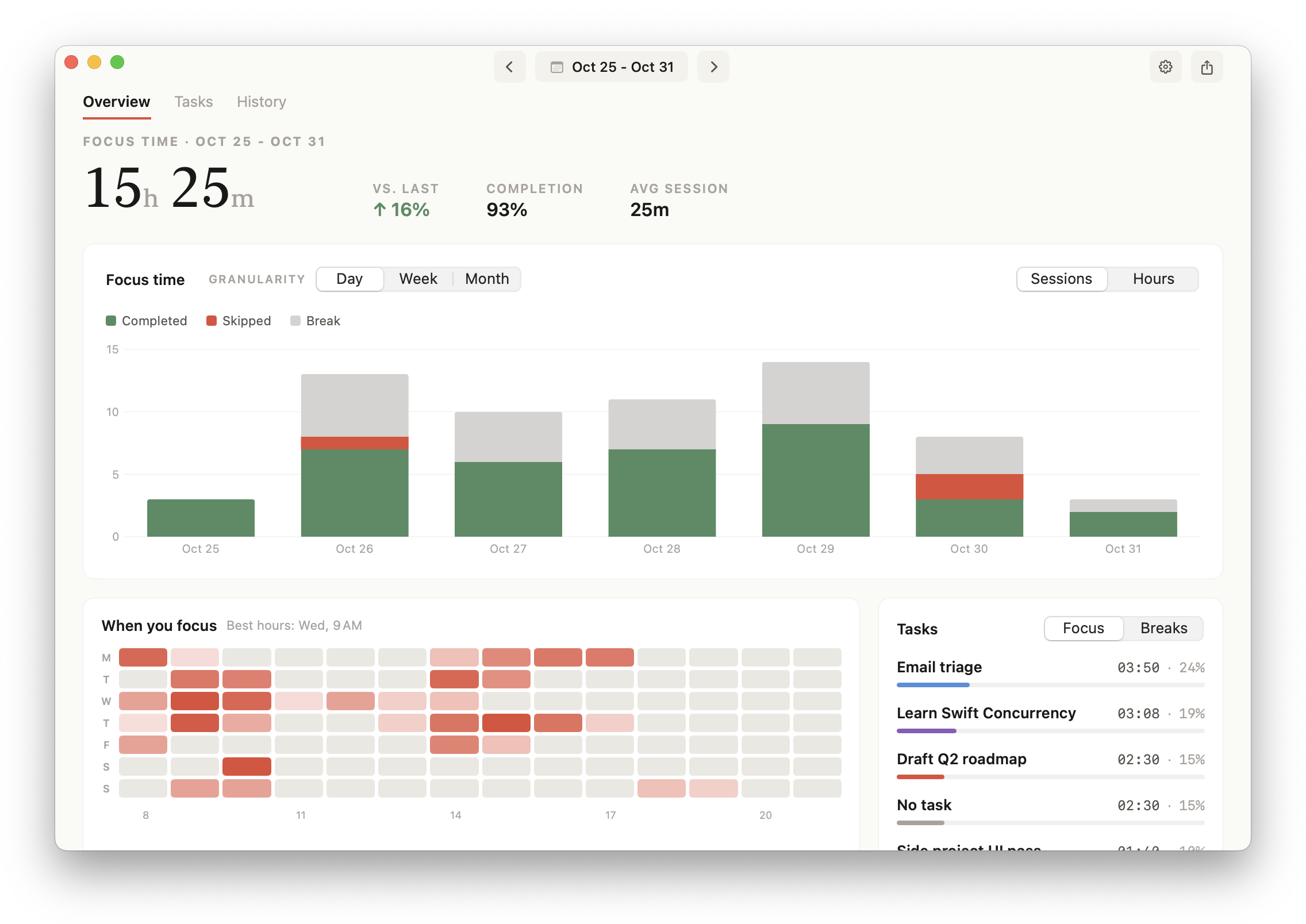
Overview on the Mac
The chart stacks three kinds of sessions:
- Completed, in green: focus sessions that ran their full length.
- Skipped, in red: focus sessions stopped or skipped before their end.
- Break, in grey: short and long breaks.
Pick the size of a bar with Day, Week and Month (D, W, M on iPhone), and what it counts with Sessions and Hours (# and the clock on iPhone). Click or tap a bar to see its numbers. With bars of a day, that also narrows History to the day; click or tap the bar again to see the whole period.
On iPhone, Hours comes with Pomodorome Pro.
When you focus
The heatmap shows the hours of the week you focus in: a row per weekday, a square per hour. The darker the square, the more completed focus time in it. Best hours names the busiest one. Click or tap a square to see its time.
Tasks
The Tasks card lists the tasks you worked on in the period, with their focus time and share, the longest first. No task gathers the sessions without one. On the Mac, switch it to Breaks to see the break time of each task.
The heatmap and the Tasks card come with Pomodorome Pro.
Tasks
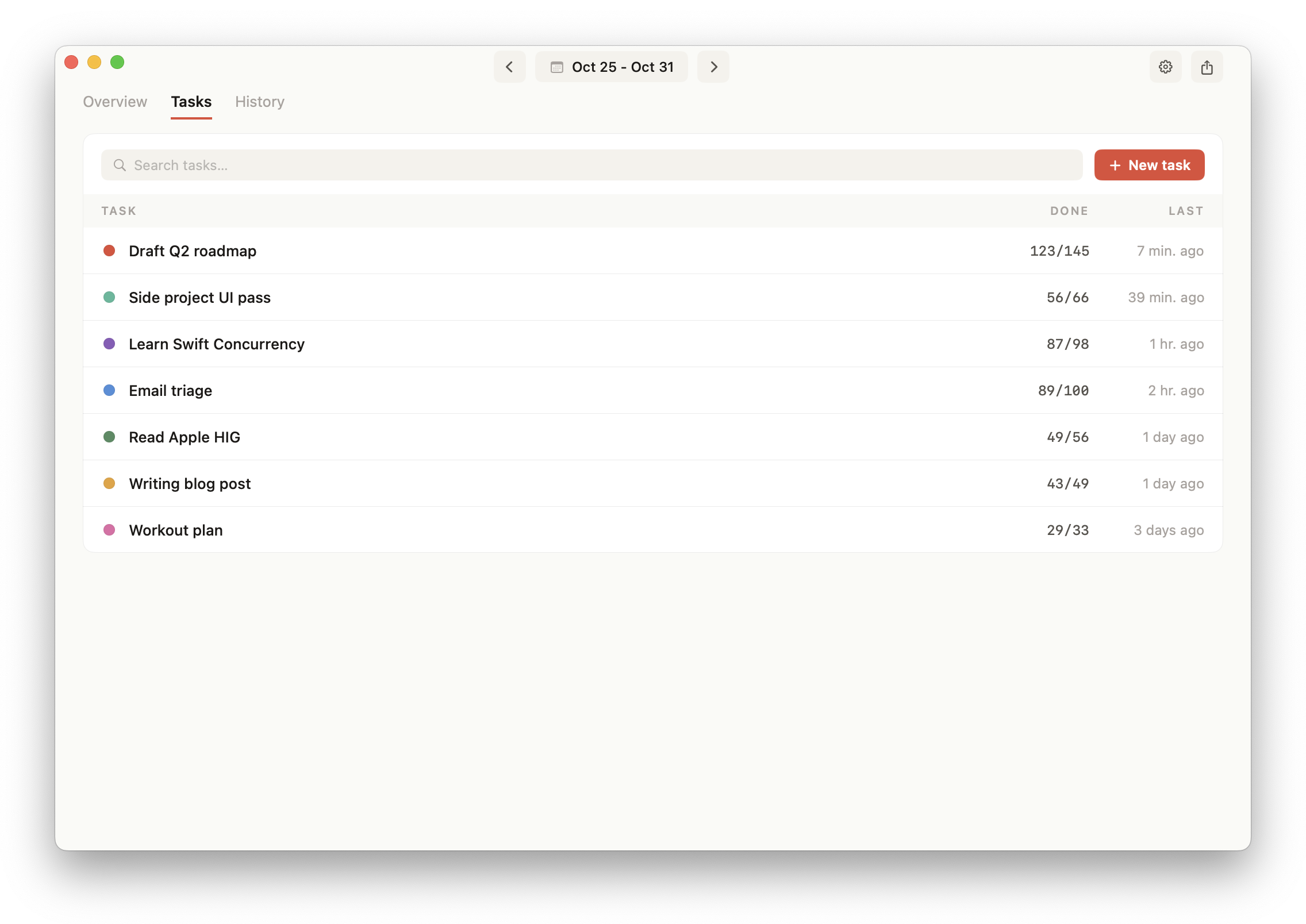
The Tasks tab on the Mac
Every task, the last used first, whatever the period:
- DONE: focus sessions completed out of all those started,
123/145. - LAST: when you last worked on it.
Search them, add, rename, recolor or delete them here. See Tasks. The tab comes with Pomodorome Pro.
History
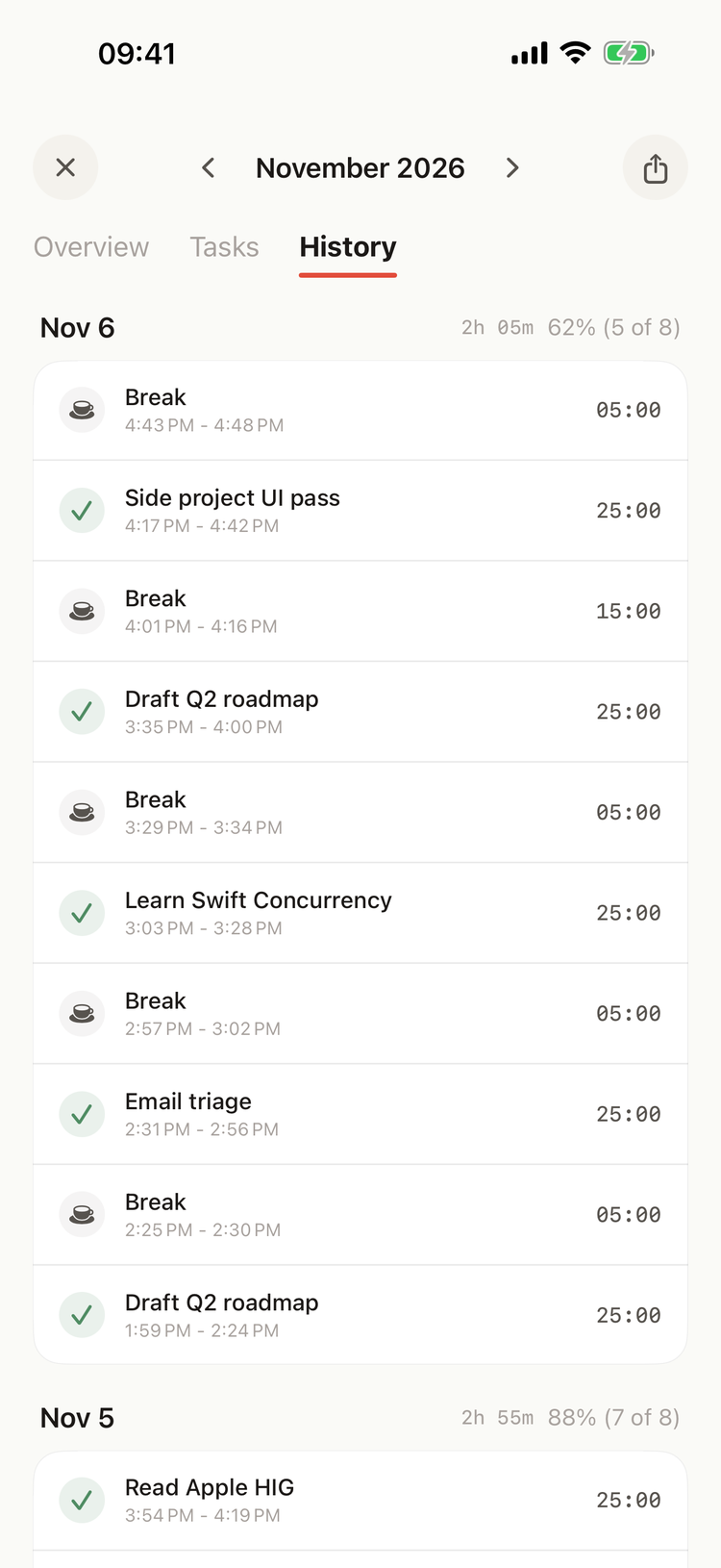
History on iPhone
Every session of the period, by day, the last first. On iPhone, History shows the last 40 sessions of the period.
Each day starts with its focus time and its share of your daily goal: 62% (5 of 8). Each session shows:
- a check for a completed focus session, a cross for a skipped one, a cup for a break,
- its task, or Focus, Skipped or Break,
- the time it started and ended, and its length on the right. A session you paused shows how many parts it has; the time on pause isn't in its length.
Edit or delete a session
Long-press a session (iPhone) or right-click it (Mac):
- Edit… lets you change when each part of the session started and ended. On the Mac you can also pick its task.
- Clear task leaves the session with no task.
- Delete deletes it, without asking first.
A session's kind follows its length: a skipped session that you lengthen to the full focus length becomes completed, and the other way round.
Completed, skipped and breaks
- A focus session is completed when it reaches its full length, the time on pause not counted. The time after its end, until you start the break, is part of it.
- It is skipped when it ends before that, with Stop or Skip.
- A break is any short or long break, whatever its length.
Only completed sessions count toward FOCUS TIME, the daily goal and the heatmap. The Tasks card counts the time of skipped sessions too.
Export
Save the sessions of the period as a CSV file. See CSV Export.